Work with us.

Edit Instagram reels and YouTube videos for founders, from anywhere. Apply to join BRoll.

Choose what you'll edit.

Instagram info reels.

Talking head, B-roll voiceover and text-led reels. One idea each, with captions and covers.

Instagram lifestyle reels.

B-roll clips cut together to a trending sound, with on-screen text.

YouTube info videos.

Long-form videos that teach what a founder knows, with short clips cut from each one.

YouTube lifestyle vlogs.

A founder's days on camera, cut into a vlog for their channel.

How it works.

1

Apply

Tell us about your work, link your best edits and answer a few questions on one form.

2

We get in touch

If your work fits, we email you, ask how much you can take on and set up a short call.

3

A test reel

You edit one reel from a client's footage. It's how we see if you're a good fit for that client.

4

Set up and start

Read how BRoll works, sign the agreement and join our Discord, all in the portal. Then the jobs come in.

Training.

Nish and Yash train every editor themselves.

Between them, they've grown brands to more than 300 million views and worked with some of the biggest creators in the space.

Developing your eye.

We teach you to see what we see: the moment in an hour of footage that makes someone stop scrolling, the line worth building a whole reel around, and the shot that says more than the caption. It's what turns a good editor into the one founders ask for by name.

Sharper edits.

Pacing, captions, B-roll and sound, taught on your own reels.

Working like a pro.

Reading a brief, getting it right first time and keeping your rating high.

The editor portal.

Every editor gets their own login. Your jobs, briefs and notes all live there.
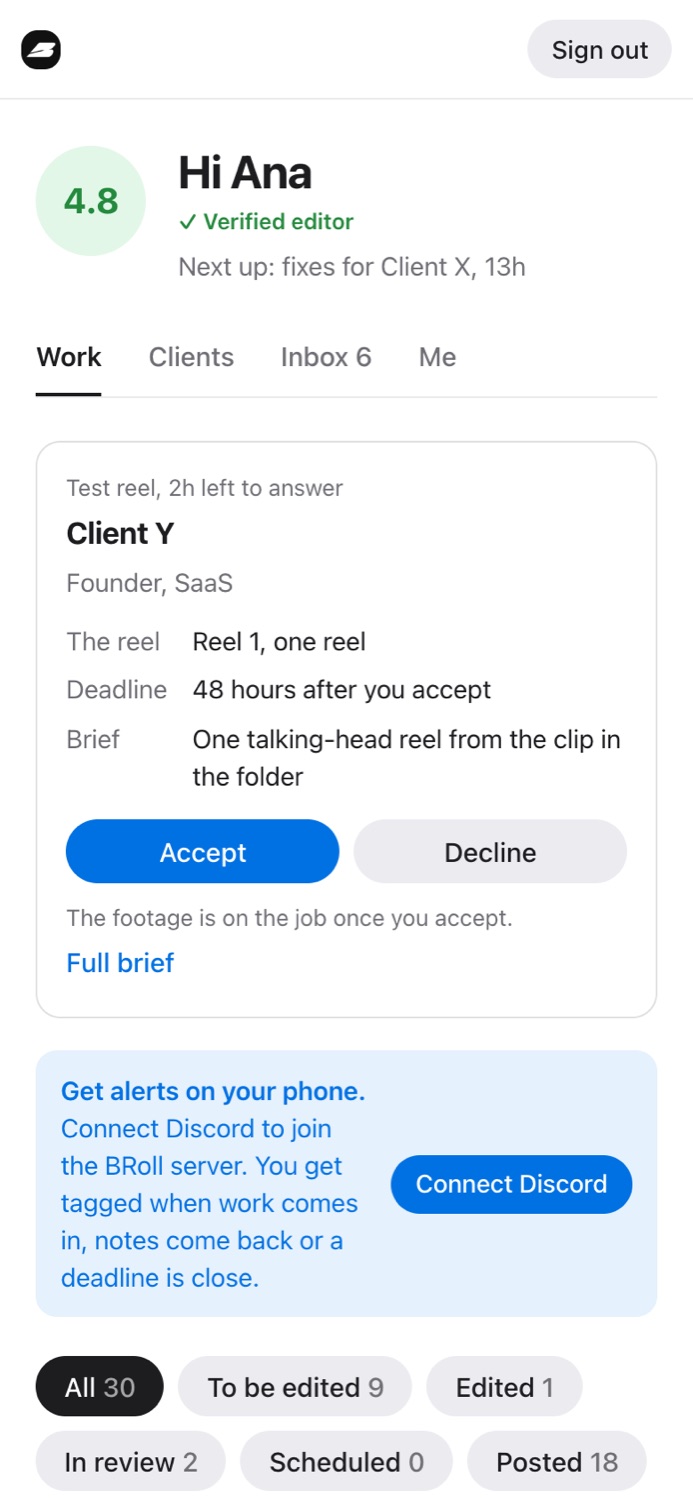
New jobs show the client, how many reels and the deadline. You have 2 hours to accept or decline.
The editor portal's Work tab with a test reel offer: the rate, deadline and brief, with Accept and Decline
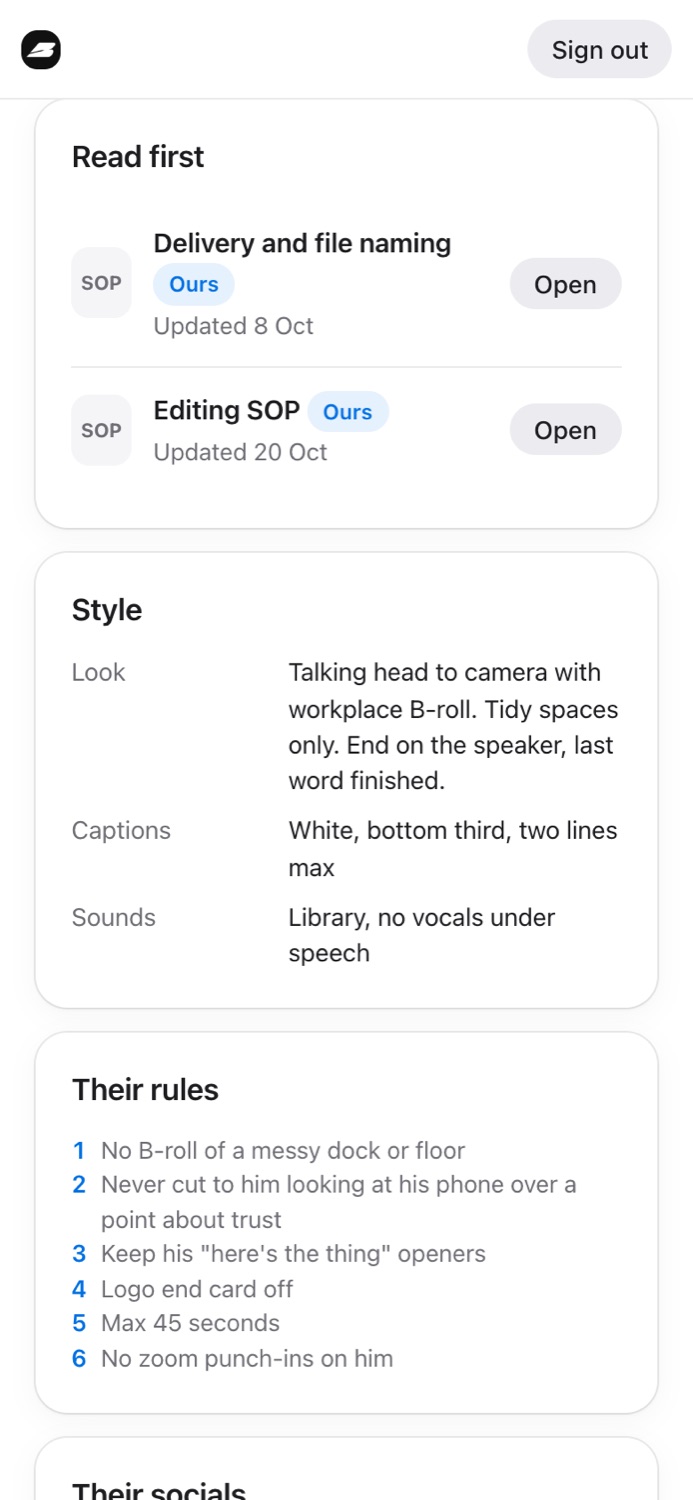
Each client's brief has their style, rules and SOP, plus their footage and files. Read it before you start.
A client brief in the editor portal: SOPs to read first, the style, and the client's rules
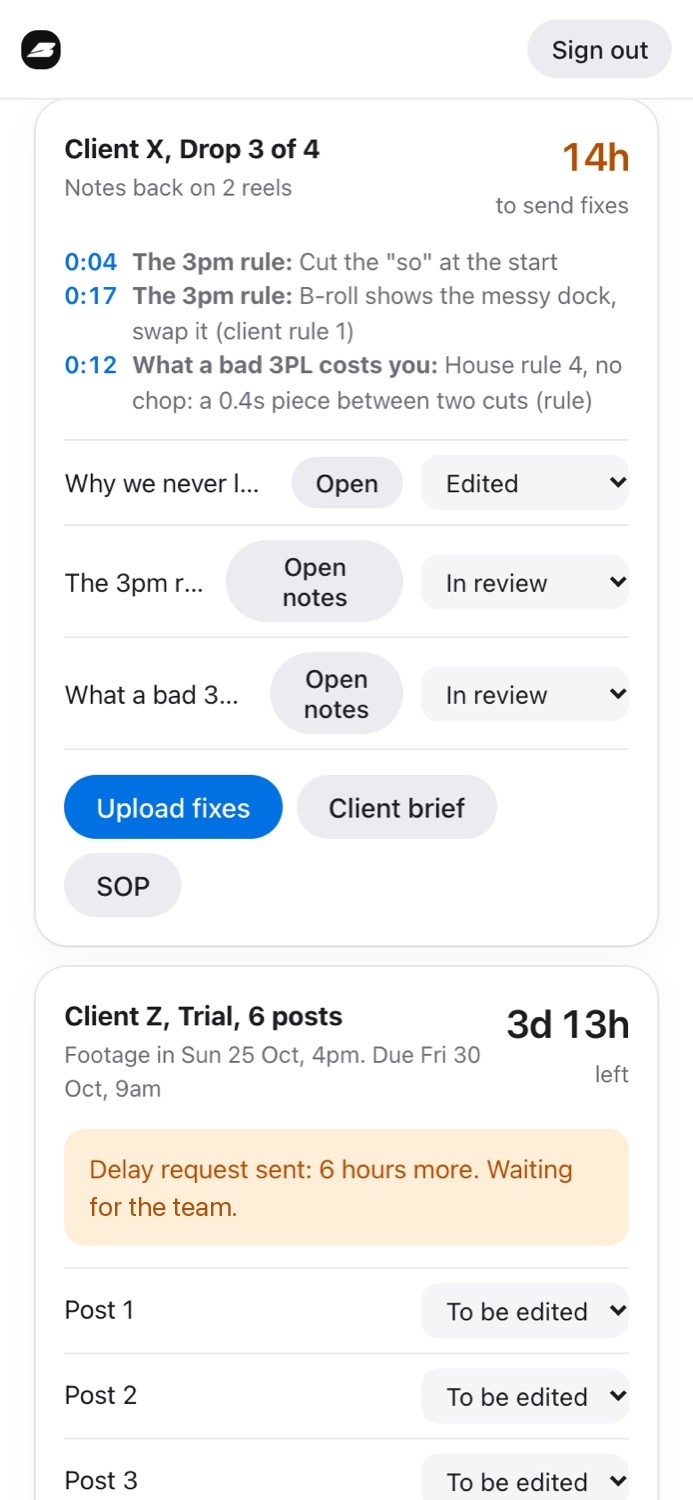
Notes are pinned to the exact second. Send your fixes within 24 hours and tick each note off.
A job with notes back at 0:04, 0:17 and 0:12, 14 hours left to send fixes, and an Upload fixes button
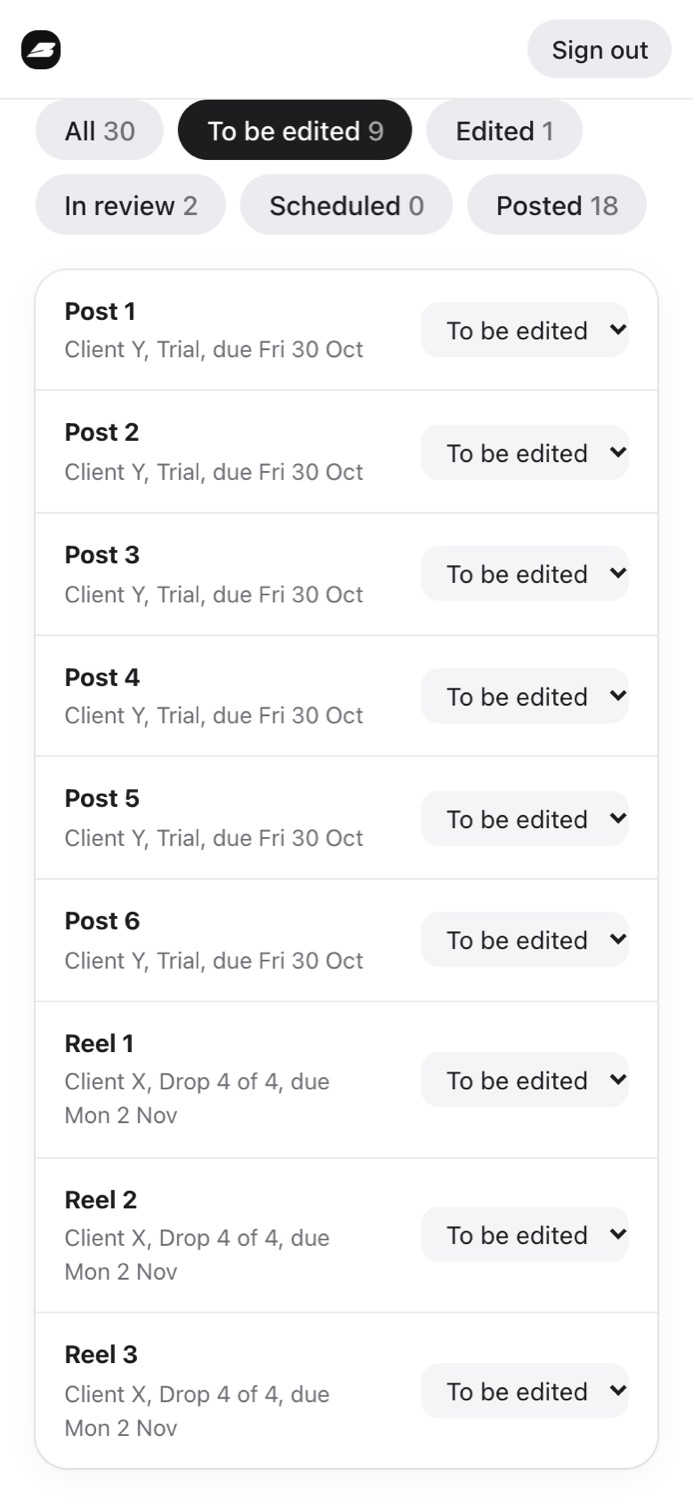
Move each reel through its stages, from to be edited to posted, so the team always knows where it is.
The editor's reel list filtered to To be edited, each reel with its client, drop, due date and a stage menu

Connect your AI.

BRoll MCP connects Claude or ChatGPT to your portal, so you can ask it about your work.

  • Start your dayWhat's due today, and what do I need to fix?
  • Learn a clientWhat does Client X want? Give me their rules.
  • Plan your weekWhat's due this week across all my clients?
  • Keep things movingMove Reel 2 to scheduled.

It only sees your own work. Uploads and your agreement stay in the portal. MCP is the standard way AI apps like Claude and ChatGPT connect to the tools you use.

What do I need to fix today?
Checked your BRoll portal
2 reels on Client X, Drop 3, fixes due in 14 hours. At 0:04, cut the "so" at the start. At 0:17, swap the messy dock shot.
What does Client X want on captions?
White, bottom third, two lines max. Their rules also say no zoom punch-ins and no logo end card.

Working together.

A trial, then a rating.

Your first 5 reels are your trial. After that you're rated on on-time delivery, quality, first-pass approvals, rule checks and how fast you accept jobs. Editors who keep it high get first pick of new clients.

Running late.

Ask for more time in the job before your deadline, and Nish answers within a few hours.

One place to talk.

Our Discord has the team chat, announcements and a private channel for each client you take on.

Apply.

One form: your best work and a few questions about how you edit.